March 30, 2026
What are the Key Components of a Clear and User-Friendly Assembly Manual

.png)

When you buy a product that requires assembly, the instruction manual becomes your guide. Whether it's furniture, electronics, or sports equipment, clear instructions can make the difference between a smooth assembly and a frustrating experience. A poorly written manual can leave users guessing, often leading to mistakes, wasted time, and even product damage.
Understanding the key elements of a user-friendly assembly manual is important because good instructions help users complete the setup with confidence. Over time, manuals have evolved. From simple paper sheets with static diagrams to interactive digital guides, instructions are becoming more engaging and easier to follow. Even larger projects, like moving from pages to pixels with 3D manual instructions for deck installation, demonstrate how technology can simplify complex assembly tasks, making them more approachable for beginners and experts alike.
Focusing on the key elements of a user-friendly assembly manual ensures that users can follow the process efficiently, reducing frustration and errors while making the assembly experience smoother and more enjoyable.
A well-written manual does more than explain how parts fit together, it shapes the user's experience with the product. When instructions are confusing, even simple tasks can feel overwhelming. Users may feel frustrated, anxious, or even give up entirely, which can negatively impact their perception of the product and the brand.
Including the key elements of a user-friendly assembly manual ensures that users can approach assembly logically. Visual aid plays a major role in this process. For example, 3d interactive instructions that simplifies product assembly to let users see exactly how pieces connect, helping them anticipate the next step rather than relying solely on text.
Clear manuals also save time for both users and manufacturers. Fewer errors mean fewer support calls, fewer returns, and higher customer satisfaction. When companies focus on the key elements of a user-friendly assembly manual, they're investing in a better experience that builds trust and loyalty.
Clear, concise language is one of the most critical key elements of a user-friendly assembly manual. Users should be able to understand each instruction without re-reading or guessing. Knowing how to write assembly instructions effectively means using short, simple sentences and direct-action steps. Avoid unnecessary jargon, complex phrasing, or overly technical terms that could confuse someone unfamiliar with the product.
For instance, when assembling a computer, using a comprehensive guide demonstrates the importance of step-by-step clarity. Each instruction is written to reduce mistakes and ensure users of all experience levels can follow along. Clear language also improves accessibility, making the manual usable by a wider audience, including people who may not speak the native language fluently or who are using it in a noisy or busy environment.
Using plain language is essential in making manuals approachable and ensures the key elements of a user-friendly assembly manual are effective for everyone.
Providing a structured, step-by-step instruction guide is another core principle of a user-friendly assembly manual. Breaking tasks into small, sequential steps helps users follow along without feeling overwhelmed. However, step sequencing is especially important for larger assemblies. Furniture, for instance, can be confusing when multiple pieces look similar or require precise alignment. Unlike a standard jigsaw puzzle, assembling a product often requires thinking about shape, stability, and the correct order of steps. This is why clear instructions matter, especially when dealing with more complex or structured assemblies.
Clear steps also reduce errors and make troubleshooting easier. If a user encounters a problem halfway through assembly, structured instructions make it simple to backtrack and correct mistakes without dismantling the entire product. Providing a clear, step-by-step guide is one of the simplest ways to incorporate the key elements of a user-friendly assembly manual, making the assembly process smoother and less intimidating.
The visual design of a manual matters just as much as its instructions. Instruction manual design ensures that users can navigate the guide efficiently, find the information they need, and understand it quickly.
The key elements of a user-friendly assembly manual include headings, consistent spacing, icons, and logical formatting. A well-structured layout allows users to identify steps, warnings, and tips briefly. Many companies are also transitioning to digital formats, as evidenced by the move to paperless work instructions, which make updates easier and ensure instructions are accessible from anywhere, including mobile devices.
Good design reduces cognitive load and helps users stay oriented, especially complex products that require multiple tools or precise alignment. Thoughtful design ensures that the key elements of a user-friendly assembly manual are not just functional but also user-friendly.
Visuals are essential for comprehension. People often understand images faster than text alone. That's why including diagrams, illustrations, and images is a key element of a user-friendly assembly manual.
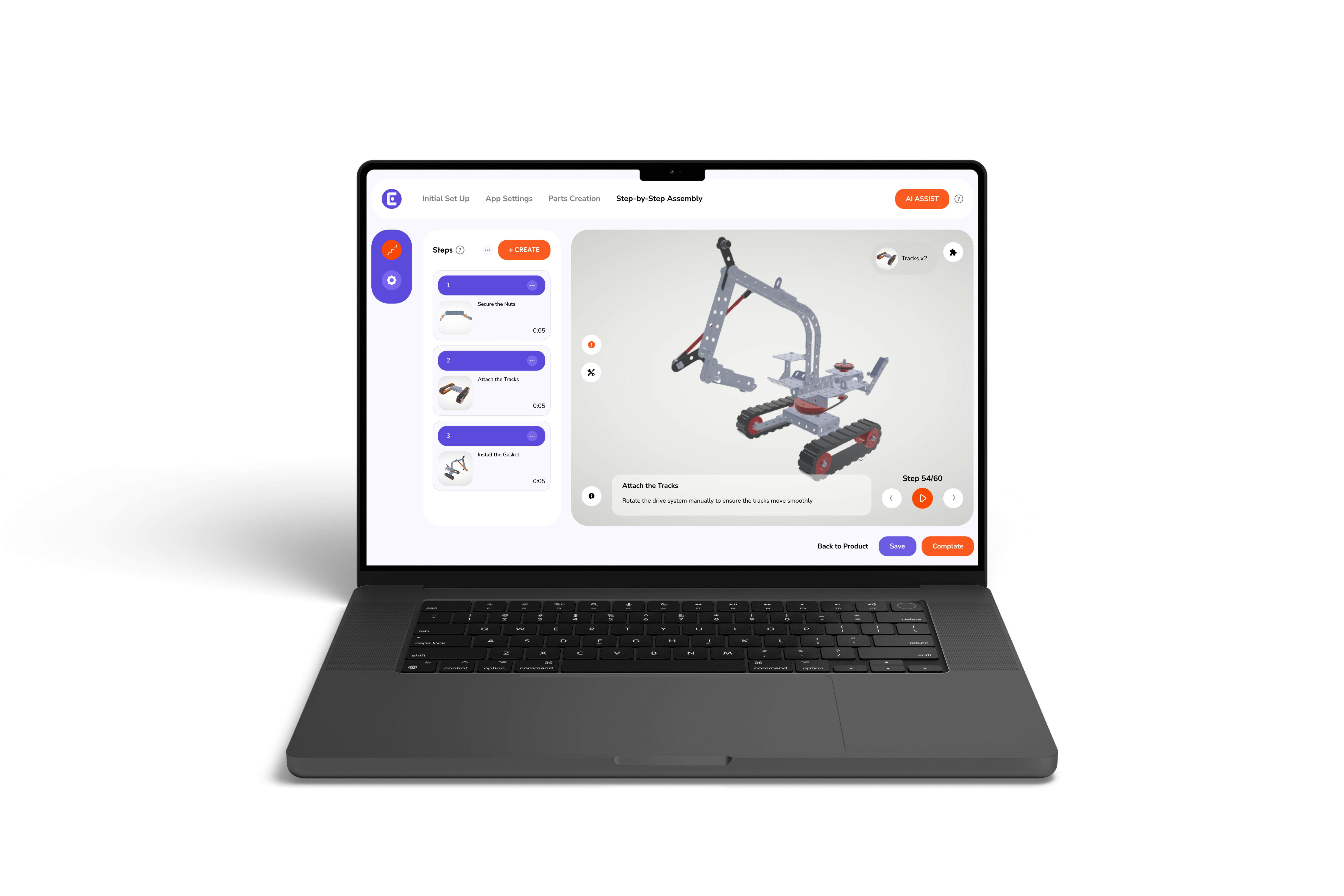
Visual instruction manuals combine text and visuals, so users can see exactly how parts fit together. Interactive visuals take this further, allowing users to rotate components, zoom in on details, and understand how pieces connect from multiple angles. For example, 3d furniture assembly, which is a frustrating procedure, 3d instructions make the process easier, helping users avoid mistakes that text alone may not prevent.
Visual guidance not only improves accuracy but also increases confidence. When users can see what the finished assembly should look like at each step, they feel reassured and less likely to skip steps or make errors.
Safety is another essential part of a manual. Many products require tools, lifting heavy parts, or precise placement, which can pose risks if not handled properly. Including safety instructions is a key element of a user-friendly assembly manual.
For larger projects like outdoor structures, pergola installation with 3d instructions for building outdoor spaces shows how combining step-by-step guidance with safety tips ensures the project is completed correctly and safely. Even simple products, like furniture or baby cribs, benefit from clear instructions that explain potential hazards, proper handling, and recommended precautions.
Including safety guidance protects users and prevents damage to the product, making it a critical component of a user-friendly assembly manual.
Before starting the assembly, users need to know what parts and tools they will need. Clear identification of components is another key principle of a user-friendly assembly manual.
Visual aid helps here as well. For instance, easy-to-assemble bed frame instructions with 3D guidance clearly show each part, so users can check they have everything before beginning. A clear parts list also reduces frustration, prevents missing components, and helps users plan the assembly process more effectively.
Organizing tools and components beforehand is an often-overlooked step, but it's essential for a smooth assembly experience. This attention to detail is a practical way to implement the key elements of a user-friendly assembly manual.
Even the best manuals benefit from feedback and updates. Observing real users can reveal confusing steps, unclear diagrams, or missing information. Continuous refinement supports the key elements of a user-friendly assembly manual by keeping instructions clear and effective.
Digital manuals make continuous improvement even easier. 3D instructions outperform traditional PDF manuals in many cases because they can be updated in real time and include interactive elements that provide additional clarity and flexibility. Continuous improvement ensures the manual evolves with the product and user needs, maintaining a positive assembly experience.
Modern assembly manuals have transformed many everyday tasks. For example, setting up furniture has become much easier with guides like the beginner's guide to stress-free chair assembly with 3d interactive manuals. Even more complex tasks, such as assembling kitchen cabinets, can now be done easily with 3D interactive instructions, thanks to manuals that combine visual guidance, step-by-step instructions, and safety considerations.
Similarly, hobbies and DIY projects have benefited. You can try it on your own by assembling a skateboard without making mistakes. Moreover, you can assemble a pool table at home: a step-by-step 3d setup guide shows how interactive visuals and clear instructions make even challenging setups feel manageable.
By examining these examples, it's clear that the key elements of a user-friendly assembly manual apply across industries, from furniture and electronics to outdoor projects and toys.
A clear, well-structured manual transforms assembly from a stressful task into a smooth and confident process. The key elements of a user-friendly assembly manual, simple language, step-by-step instructions, thoughtful design, visuals, safety guidance, and clear parts identification- work together to make this possible. Focusing on the key elements of a user-friendly assembly manual not only benefits users but also helps businesses reduce errors, returns, and support requests while enhancing overall product satisfaction.
If you want to take your manuals to the next level, Easemble’s 3D interactive guides make creating user-friendly assembly instructions simple, visual, and highly effective, helping your customers assemble with confidence every time.