Key Takeaways
- 3D interactive manuals reduce assembly errors and improve overall accuracy
- Interactive guides speed up training and simplify onboarding for users and teams
- Digital manuals help lower support costs and eliminate recurring printing expenses
- Multi-device accessibility ensures consistent and convenient access to instructions
Introduction
3D interactive instructions solve long-standing challenges in traditional documentation by combining clarity, interactivity, and digital accessibility. As products continue to grow more complex, static PDF manuals often fall short when it comes to helping users assemble, operate, or maintain them correctly.
When evaluating 3D vs PDF manuals, the difference becomes clear in how users engage with instructions. Traditional documentation relies heavily on written explanations and flat images, which can be difficult to interpret, especially for non-technical users or first-time customers. This frequently results in confusion, assembly errors, and increased dependency on customer support.
This blog explains why 3D instructions consistently outperform PDFs, the difference between 3D and PDF instructions, how they improve accuracy and efficiency, and what is required to adopt them successfully. Moreover, it explores how modern instruction manuals support seamless implementation over time for both businesses and end users.
Understanding the Limitations of PDF Manuals
PDF manuals were originally designed for easy distribution and printing, not for interaction or real-time guidance. While they remain widely used, their limitations become increasingly apparent when applied to modern, multi-component products.
Common issues with PDF manuals include
- Static images that lack depth and perspective make it difficult to understand part orientation
- Heavy reliance on text interpretation, which increases cognitive load for users
- Difficulty following correct assembly sequences, especially for complex products
- Higher chances of assembly, usage, and maintenance errors
- Frequent dependency on customer support and service teams for clarification
As a result, users often struggle to complete tasks efficiently, particularly when instructions involve multiple components, precise steps, or safety-sensitive procedures. These challenges can negatively impact user satisfaction, product returns, and brand perception.
What Makes 3D Instructions Different
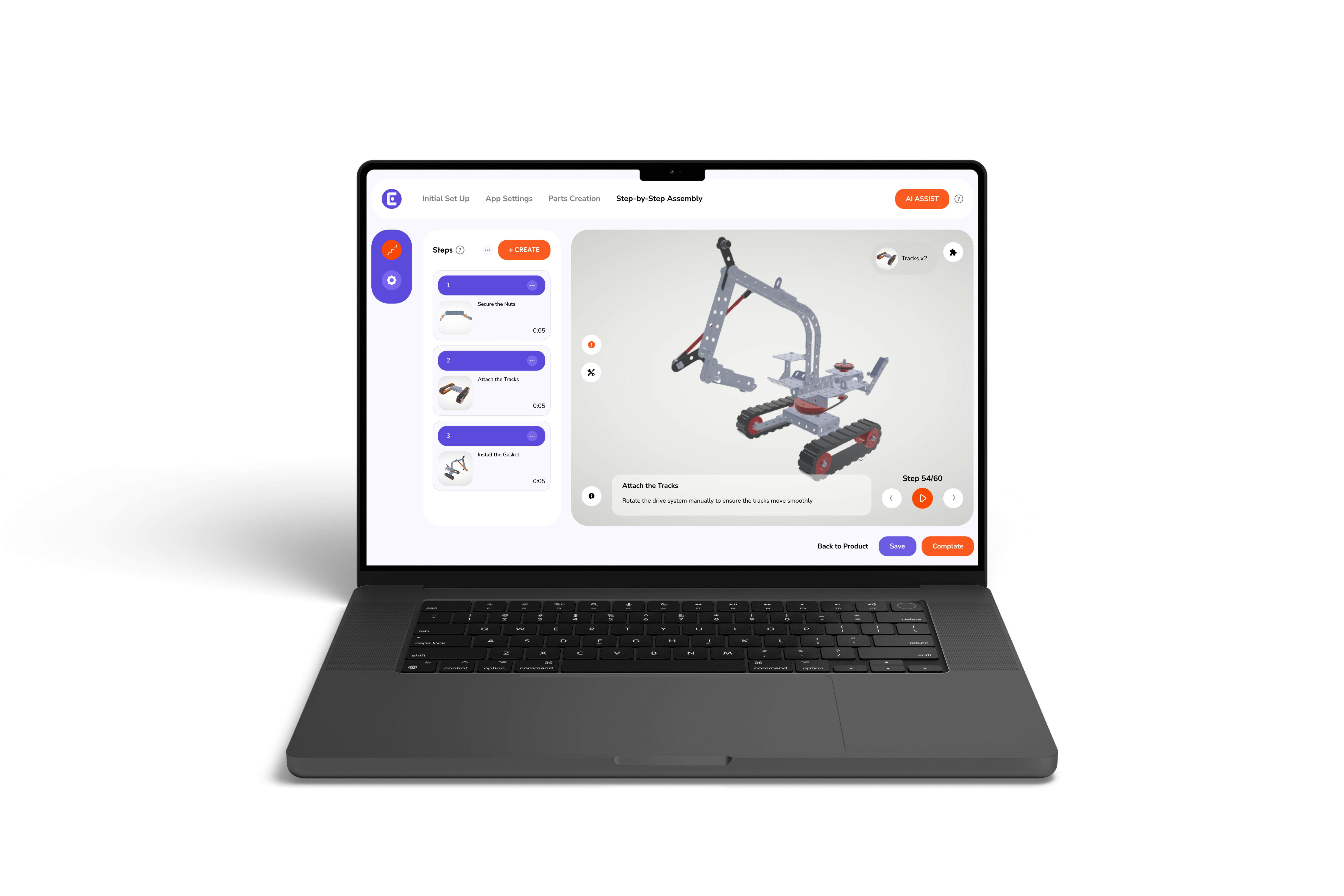
3D interactive instructions replace passive reading with active guidance. Instead of forcing users to interpret diagrams and long blocks of text, these instructions guide users visually through each step of a process.
Users can interact with the product model directly, allowing them to better understand how parts fit together and in what order actions should be completed. This approach significantly reduces confusion and improves task completion rates, marking a clear shift from paper to pixels in instructional content.
Core characteristics of 3D interactive instructions
- Rotatable and zoomable 3D models that provide full visibility of components
- Step-by-step visual guidance that clearly shows each action
- Clear part isolation and sequencing to avoid incorrect assembly
- Digital delivery across devices, including desktop, tablet, and mobile
- Easy updates without the need for reprinting or redistribution
This evolution reflects the growing preference for modern instruction manuals that adapt to user needs rather than forcing users to adapt to static documents.
3D Instructions vs PDF Manuals
The differences between 3D instructions and PDF manuals become clear when comparing them across key usability and performance factors, especially in the context of 3D vs. 2D assembly instruction manuals.
| Aspect | 3D Interactive Instructions | PDF Manuals |
| Visual clarity | Full 3D views with rotation and zoom | Flat 2D images |
| User engagement | Interactive and guided experience | Passive and text-heavy |
| Error reduction | High accuracy through visual steps | Errors caused by misinterpretation |
| Updates | Instant digital updates | Reprints and redistribution required |
| Accessibility | Works seamlessly across devices | Often optimized for desktop use |
This comparison highlights why organizations evaluating the benefits of 3D instructions are increasingly moving away from PDFs for critical workflows.
Key Benefits of 3D Interactive Instructions
3D instructions deliver value across operations, training, and overall user experience. The benefits of 3D interactive product manual solutions extend beyond clarity and positive impact efficiency, accuracy, and scalability.
Clear and accurate assembly guidance
Interactive visuals show each step exactly as it should be performed. Users can clearly see part orientation, placement, and sequence, which reduces guesswork and prevents mistakes before they occur.
This level of clarity is particularly valuable for complex products where even small errors can lead to rework or safety issues.
Faster training and onboarding
Visual learning significantly reduces training time for technicians, operators, and end users. Instead of relying on lengthy explanations or instructor-led sessions, teams can follow clear visual steps independently.
This approach is especially effective when organizations look to make the move to paperless work instructions for onboarding and continuous training.
Reduced support and service costs
When instructions are easy to understand and follow, users require less assistance. This leads to fewer support tickets, reduced service calls, and lower return rates.
Over time, organizations benefit from improved operational efficiency and reduced strain on customer support teams through interactive instruction manuals.
Multi-device accessibility
3D instructions can be accessed on desktops, tablets, and mobile devices, ensuring consistent guidance regardless of location. Whether users are on the shop floor, in the field, or working remotely, instructions remain readily available.
Platforms that support these workflows often function as a Digital Assembly Solutions Provider, enabling scalable instruction delivery across teams and regions.
Safer and more compliant processes
Step-based visual guidance helps users follow correct procedures and safety requirements. By clearly demonstrating each action, 3D instructions reduce the risk of improper usage and help organizations maintain compliance with industry standards and internal protocols.
Prerequisites for Adopting 3D Instructions
Before transitioning from PDFs to 3D instructions, organizations should ensure the following foundational elements are in place:
| Requirement | Purpose |
| 3D or CAD models | Accurate digital representation of products |
| Defined workflows | Clear assembly, usage, or maintenance steps |
| Assembly manual software | A platform to build and manage instructions |
| Device readiness | Reliable access across mobile and desktop |
| Update ownership | Clear process for maintaining and updating content |
Using the right assembly manual software ensures long-term usability and consistent instruction quality.
Who Benefits Most from 3D Instructions
3D interactive instructions provide value across multiple roles and industries, including:
- Manufacturing and assembly teams working with complex products
- Service and maintenance technicians performing on-site tasks
- Training and onboarding teams are responsible for knowledge transfer
- End users assembling, operating, or maintaining products
By delivering guidance at the point of need, organizations strengthen accuracy, confidence, and task completion across the board.
Conclusion
PDF manuals served their purpose in a print-first world. However, modern products and user expectations demand clearer, more intuitive guidance. When comparing 3D vs PDF manuals, it is evident that 3D interactive instructions outperform PDFs by improving accuracy, reducing errors, and supporting faster learning.
For teams exploring digital instruction workflows, platforms like Easemble focus on helping organizations create, manage, and deliver interactive 3D manuals. These solutions are designed to support ease of access, scalability, and long-term usability, allowing users to find the instructions they need exactly when they need them.

.png)