February 27, 2026
The Future of Digital Assembly Instructions and Smart Tools
.png)

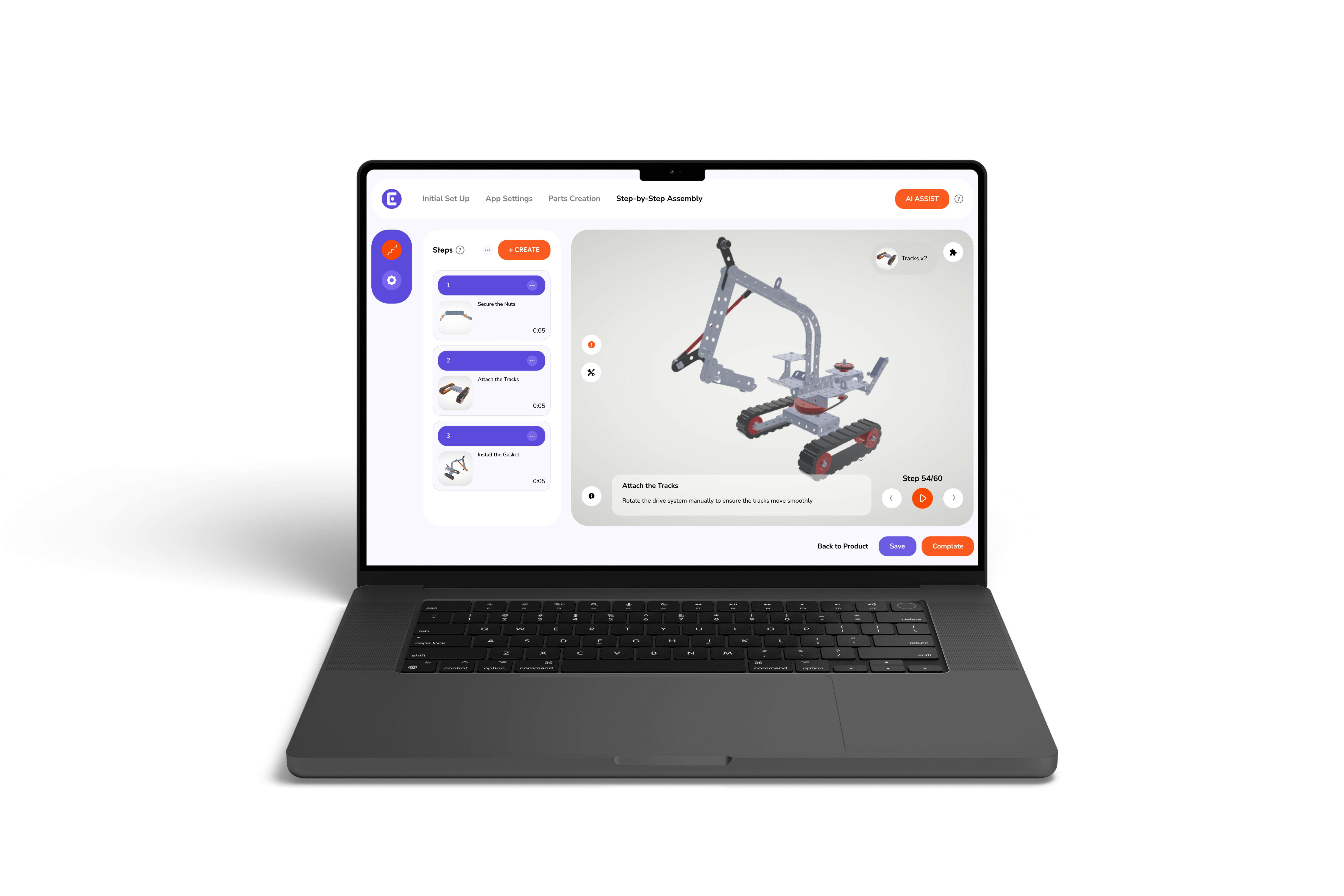
If you manage assembly lines, you know how frustrating it can be when workers struggle with unclear instructions. Traditional paper manuals often slow operations, cause mistakes, and stretch training time. That’s where digital assembly instructions and smart tools come in. These guides combine step-by-step visuals, 3D models, and interactive prompts to make assembly faster, easier, and more accurate.
In this blog, we’ll explain what digital, smart assembly instructions actually involve, explore the technology powering smart and 3D assembly guides, and highlight the measurable benefits teams see in real-world workflows. You’ll also get practical tips for implementing these tools and learn how Easemble supports furniture and product manufacturers in moving confidently toward a more efficient, digital-first assembly process.
Let’s start by breaking down what digital assembly instructions really are.
Assembly teams often struggle when instructions are unclear, outdated, or spread across multiple paper manuals. Digital assembly instructions solve this by providing clear, visual, step-by-step guidance that workers can follow without guessing.
Unlike static paper manuals, 3D digital work instructions allow workers to see each part in three dimensions. Panels, brackets, and fasteners are easier to identify, which reduces errors, rework, and time spent rereading pages. Undeniably, it shows how 3D interactive instructions simplify product assembly and make workflows smoother.
These instructions are accessible on tablets, smartphones, or AR devices. Updates happen instantly across all devices, so teams always work from the latest version without printing or emailing revised PDFs.
Workers can rotate parts, zoom in on components, and follow step-by-step prompts. Visual cues and checkpoints ensure correct placement and proper sequence, improving accuracy and confidence on the line.
This clarity makes it obvious why traditional manuals often create frustration on the assembly floor.
Even experienced workers struggle when instructions are unclear or outdated. Small gaps can quickly turn into misassembled products, delays, and frustrated teams.
Paper manuals and static PDFs often fall behind product updates. For example, a change in shelf panel thickness or screw size in a modular wardrobe may not make it into every printed manual. Workers following old instructions can assemble pieces incorrectly, leading to rework or returns.
Flat diagrams and 2D drawings make it hard to judge angles, hole placement, or part orientation. A furniture assembler might attach a drawer upside down or misalign brackets on a bed frame, costing time and requiring supervisor intervention.
Even minor corrections, like swapping part numbers or clarifying orientation, can take days or weeks to reach all assembly teams. Training programs also lag behind, making onboarding slower and less effective.
These recurring frustrations highlight why smart, interactive assembly instructions can dramatically improve workflow and accuracy.
Modern assembly floors need tools that match the pace and complexity of today’s products. Smart digital assembly instructions address common frustrations with features built for clarity and efficiency.
Workers can rotate, zoom, and view exploded parts, making it easy to see how pieces fit together. This eliminates guesswork and reduces misassembly, especially for complex products like multi-shelf wardrobes or modular furniture.
Checkpoints, barcode confirmations, and prompts ensure each step is completed properly, showing clearly how 3D assembly instructions enhance training and reduce errors. Moreover, this ensures proper assembly at each stage and reduces errors, a key advantage of interactive assembly instructions.
Highlights, QR codes, and visual markers quickly point to the correct part and its orientation, saving time spent hunting for screws, panels, or brackets.
Instruction changes propagate instantly across all devices, keeping teams aligned and avoiding mistakes caused by outdated manuals.
Based on the pace of technological progress across manufacturing, the next phase of the assembly floor won’t be defined by paperless manuals alone. It will be defined by systems that actively guide, verify, and support workers in real time.
And here’s where it gets interesting. Some companies implementing advanced digital guidance systems are reporting outcomes that go well beyond incremental gains, including 40% faster training times, up to 90% reduction in errors, and noticeably higher employee engagement during onboarding and upskilling.
If these trends continue, we can expect assembly environments to become far more adaptive. Instructions may automatically adjust based on product configurations. 3D visualizations could replace static diagrams as the standard. Smart tools may sync with digital platforms to confirm torque levels, part placement, and sequence completion without manual checks. Training will likely shift as well. Instead of overwhelming new hires with thick binders or classroom-heavy sessions, teams may learn directly within guided digital workflows. That shift matters. When learning feels intuitive and visual, employees don’t just complete tasks; they build confidence.
None of this suggests an overnight transformation. But the direction is clear. As digital systems mature, the benefits of 3D interactive product manual solutions will extend beyond speed. They’ll support consistency, traceability, and a more motivated workforce.
Adopting digital assembly instructions works best when it feels like improvement, not disruption. A phased rollout keeps risk low and learning high, and it answers the most common question, “How to make the move to paperless work instructions?”
Easemble makes moving to smart, paperless assembly workflows straightforward. Our platform combines a web-based creator with optional 3D modeling, mobile and AR support, and flexible pay-per-product pricing, so teams can start small and scale gradually.
Moreover, companies using Easemble report faster onboarding, fewer assembly mistakes, and lower support demand. As reliable assembly manual software, it connects clear visual instructions with step verification, helping teams follow procedures consistently. This makes Easemble a trusted partner for manufacturers ready to embrace digital assembly instructions.
Digital assembly instructions make today’s assembly work faster, more accurate, and easier to train on. At the same time, they prepare your team for the future of digital assembly instructions, where smart tools and interactive guides will keep improving efficiency and reducing errors. By giving your employees clear, confident guidance, you can make their work less stressful and more satisfying.
Explore how your team could benefit from digital assembly instructions by starting a free trial or talking to one of our customer service representatives today.