September 11, 2026
Top Digital Assembly Manual Tools for Furniture, Sports Equipment & Toys

.png)

The best digital assembly manual software replaces paper booklets with interactive 3D and AR guides. Users rotate, zoom, and follow each step visually instead of reading dense diagrams. Tools like Easemble, Cadasio, and RapidManual now serve furniture, sports equipment, and toy brands aiming to cut errors and returns.
A 40-page assembly manual can still leave customers wondering which screw goes where. The actual test of digital assembly manual tools is simpler: can customers finish the build without calling support?
Suppose a customer opens a 40-page booklet for a bookshelf with 30 identical screws and three near-identical panels. Confusion sets in by step three. Replace that booklet with a rotating 3D model that isolates each part, and the build finishes twice as fast. Furniture, sports equipment, and toy brands are adopting these tools for exactly this reason.
This guide compares the strongest options on the market. It also explains what separates interactive assembly manual tools from a flashy demo product.
Digital assembly manuals cut errors and returns compared to static paper booklets.
3D and AR formats outperform PDFs for multi-part, complex products.
Furniture, sports equipment, and toys each demand different documentation features.
Paperless assembly instructions lower printing and localization costs at scale.
Interactive guides double as data sources, identifying where users may need more support.
A digital assembly manual is an electronic guide that replaces or supplements a printed booklet or static PDF. Users can follow step-by-step instructions, rotate 3D models, or scan a QR code to access product guidance.
The shift goes beyond presentation. As product lines expand across markets, manufacturers may need separate instructions for different models, configurations, and languages. Printing and updating each version can quickly add to documentation costs, especially across multilingual markets.
Documentation can also affect the post-purchase experience. When customers struggle to assemble furniture, they may turn to support teams or consider returning the product.
3D assembly instructions can reduce the spatial confusion that flat diagrams create. Users can rotate a model to inspect depth, orientation, and part placement from different angles.
Static diagrams have their limits. A 2D drawing may show only one angle, making it difficult to judge a part's depth or orientation. Symmetrical components can also look identical on paper, even when their placement differs.
Advantages of 3D instructions make those details easier to inspect. Users can rotate a model to check orientation before moving to the next step. Zoom controls also bring small components into view without forcing users to squint at a crowded diagram.
Depending on the product and implementation, 3D instructions can offer several practical benefits:
None of this replaces good technical writing. Clear labels with concise step descriptions and accurate safety notes still help users interpret the visuals and complete each step correctly.
Effective assembly manual software for furniture needs to handle two things well:
These features help users distinguish similar components and understand how each part fits into the finished product.
Flat-pack furniture can turn a simple build into a hardware-identification puzzle. A bookshelf may include several similar-looking screws, brackets, and panels. If the manual identifies each component only on the opening parts page, users must keep flipping back to check which piece belongs in each step.
Exploded-view interactive product guides can keep hardware callouts visible at the relevant assembly step instead of sending users back to a separate parts list. Interactive assembly manual tools can also highlight the correct fastener as it's needed, helping users distinguish similar components before they make a mistake.
Sports equipment manufacturers should look for digital instruction tools that can display relevant safety information, such as torque specifications and load limits, within the assembly sequence.
Exercise racks, resistance machines, and bikes may require specific torque settings, load limits, or assembly precautions. When this information appears far from the relevant step, users may overlook it or need to search for it mid-build.
Digital assembly instructions for sports equipment can display relevant torque values, load limits, or safety notes alongside the applicable step. This keeps critical information close to the task, where users can reference it during assembly.
Digital assembly manuals for toys can make safety information easier to access by displaying relevant warnings alongside the steps where they apply. Toy assembly instructions may need to address age grading, small parts, and choking hazards, depending on the product and market. These details matter to the adult assembling the toy, especially when a child is waiting to use it.
Digital formats let that warning surface contextually, right as the relevant part appears, rather than in fine print most people skip. Some tools also add lightweight gamification, such as step-completion tracking, keeping both builder and child engaged through longer assembly sequences.
The following shortlist was built by comparing publicly available product information across four criteria: 3D or AR authoring capability, CAD compatibility, publishing format, and intended audience.
These tools serve different documentation needs. Easemble focuses on customer-facing assembly guides created from existing 3D models. Cadasio supports interactive product communication using CAD data, while RapidManual focuses on technical documentation and structured procedures.
Easemble supports customer-facing assembly guides across product categories, including furniture, sports equipment, and toys. This gives manufacturers a way to create interactive instructions for different product lines within one platform.
Many competing tools grew out of industrial CAD workflows first, then adapted toward consumer use later. Easemble was built the other way around, starting from the customer-facing assembly moment.
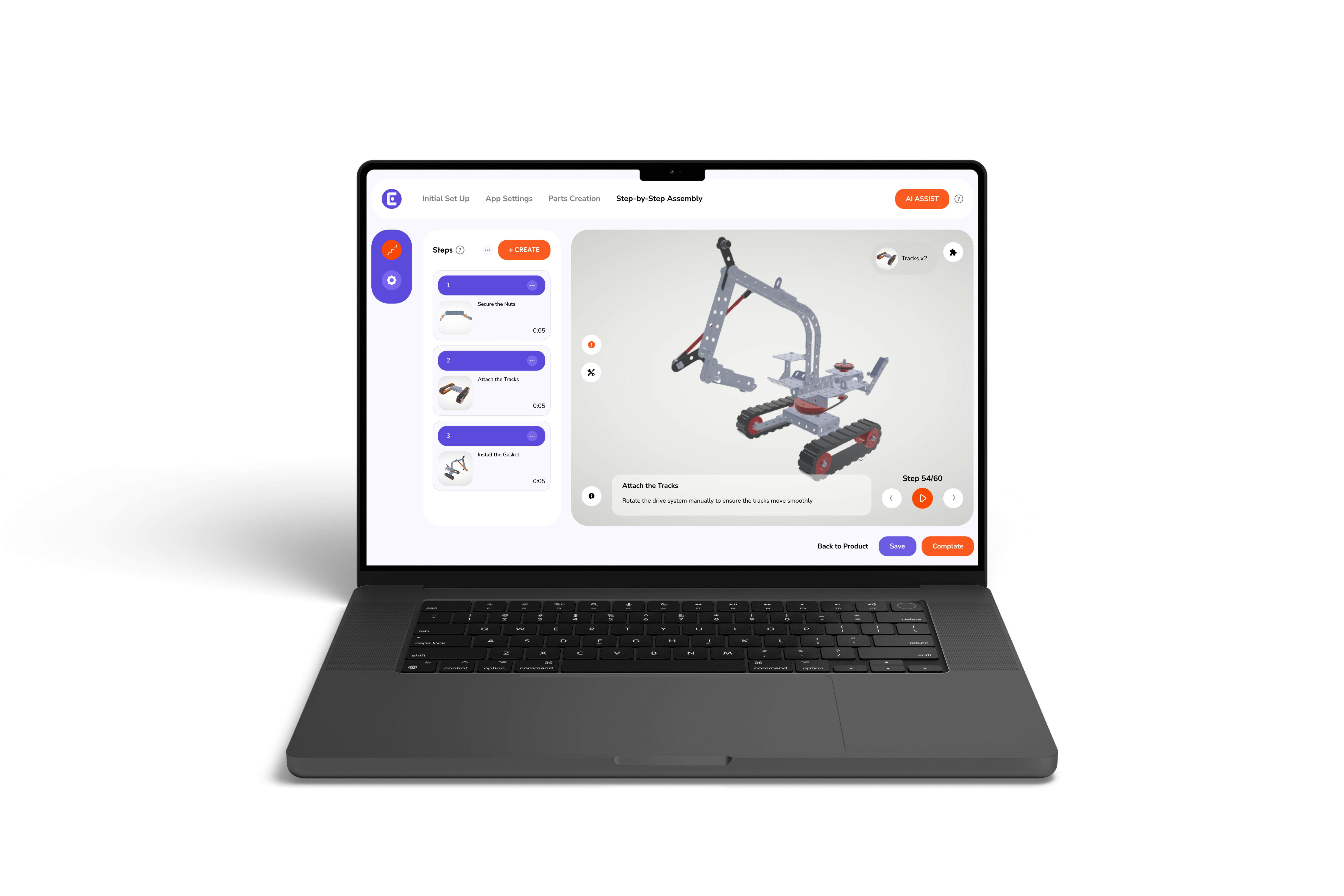
Users can rotate and zoom interactive 3D models on supported devices. Easemble also lets manufacturers use existing 3D models to create step-by-step assembly guides, reducing the need to recreate product visuals from scratch.
As for manufacturers comparing digital instruction manual makers, the key question is how well each platform fits the intended audience. A customer-facing assembly guide may call for a different workflow than a technical manual built for engineers.
Digital work instructions and customer-facing assembly manuals share a common purpose: helping users complete tasks accurately. However, factory-floor instructions serve different workflows and operational needs than guides designed for customers assembling products at home.
Customer-facing assembly guides and internal work-instruction systems serve different audiences, even when they use similar 3D visuals. A factory worker may need standardized procedures, quality checkpoints, or workstation-specific guidance. A customer assembling furniture at home may need clearer part identification and step-by-step support.
Digital work instructions can help manufacturers present assembly steps and component details in a consistent format. Still, their impact on error rates and training time also depends on implementation and quality of the instructions.
The future of product documentation points toward instructions that update automatically and follow the user across devices, rather than shipping as a fixed file that ages the moment a product changes.
AI-assisted authoring is emerging as a way to speed up parts of manual creation, including the conversion of 3D models into structured instructions. Augmented reality can also place digital guidance within a user's physical environment, helping them understand part placement during assembly.
This shift is not limited to furniture, sports equipment, and toys. Interactive product guides are expanding into categories like interactive assembly manuals for consumer electronics manufacturers, where precision requirements make static instructions even less workable than for flat-pack furniture. As that category grows, today's tools will likely set the pattern the industry follows.
Paper manuals were built for an era with fewer SKUs, fewer regions, and less pressure on return rates. That era is over. Furniture, sports equipment, and toy brands now compete on how easily a customer completes assembly along with how the finished product performs.
Easemble helps manufacturers turn existing 3D models into interactive assembly guides that customers can access on supported devices. If your current manual still lives in a PDF, consider what a customer could understand more easily with a rotatable 3D model and clearer step-by-step guidance.
Digital assembly manual software helps manufacturers create and publish electronic assembly instructions. Depending on the platform, these may include interactive 3D models, animations, text, and step-by-step visuals accessible through a browser or mobile device.
3D assembly instructions can make complex products easier to understand by letting users rotate and zoom parts. Their effectiveness depends on product complexity, guide quality, and user needs. Printed manuals can still be useful for offline access and quick reference.
Digital assembly manuals may help reduce returns caused by assembly confusion or incorrect builds. Their impact depends on the product, instruction quality, and reasons customers return it. Manufacturers can use return and support data to assess whether clearer instructions improve outcomes.
Industries that use interactive assembly manual tools include sports equipment, toys, consumer electronics, and industrial manufacturing. The required features vary by product, from hardware identification to safety guidance and technical procedures.
Easemble supports customer-facing assembly guides across multiple product categories. Manufacturers can use existing 3D models to create interactive, step-by-step instructions. Its suitability for a specific industrial workflow depends on the documentation, integration, and publishing requirements involved.