October 20, 2026
Home Gym Equipment Assembly: How Brands Can Reduce Setup Errors
.png)

Most setup problems start with the instructions, not the customer. This guide shows brands what to fix, stage by stage.
Most setup mistakes aren’t the customer’s fault. The instructions just leave too much to guess. Here’s how to fix that. Label every bolt so nobody grabs the wrong one. Put the steps in a simple order. Add a “tighten by hand only” reminder until the frame sits straight. Show the tricky parts, like cables and brackets, in 3D so people can see them. Then end with a quick test before the first workout. If you only do one thing, show customers what “done right” looks like at every step.
A home gym machine can look finished and still be unsafe. A bolt in the wrong hole or a cable on the wrong pulley can hide for weeks. Then it shows up as a wobble, a squeak, or a support call.
These gym equipment assembly mistakes cost your customers time and cost your brand trust. That is where home gym equipment 3D assembly can help. A model of customers can spin shows which way a part faces before anyone picks up a wrench. Below, we cover the parts check, the frame, cables, final checks, and where interactive guides fit in.
First, let’s start with the parts.
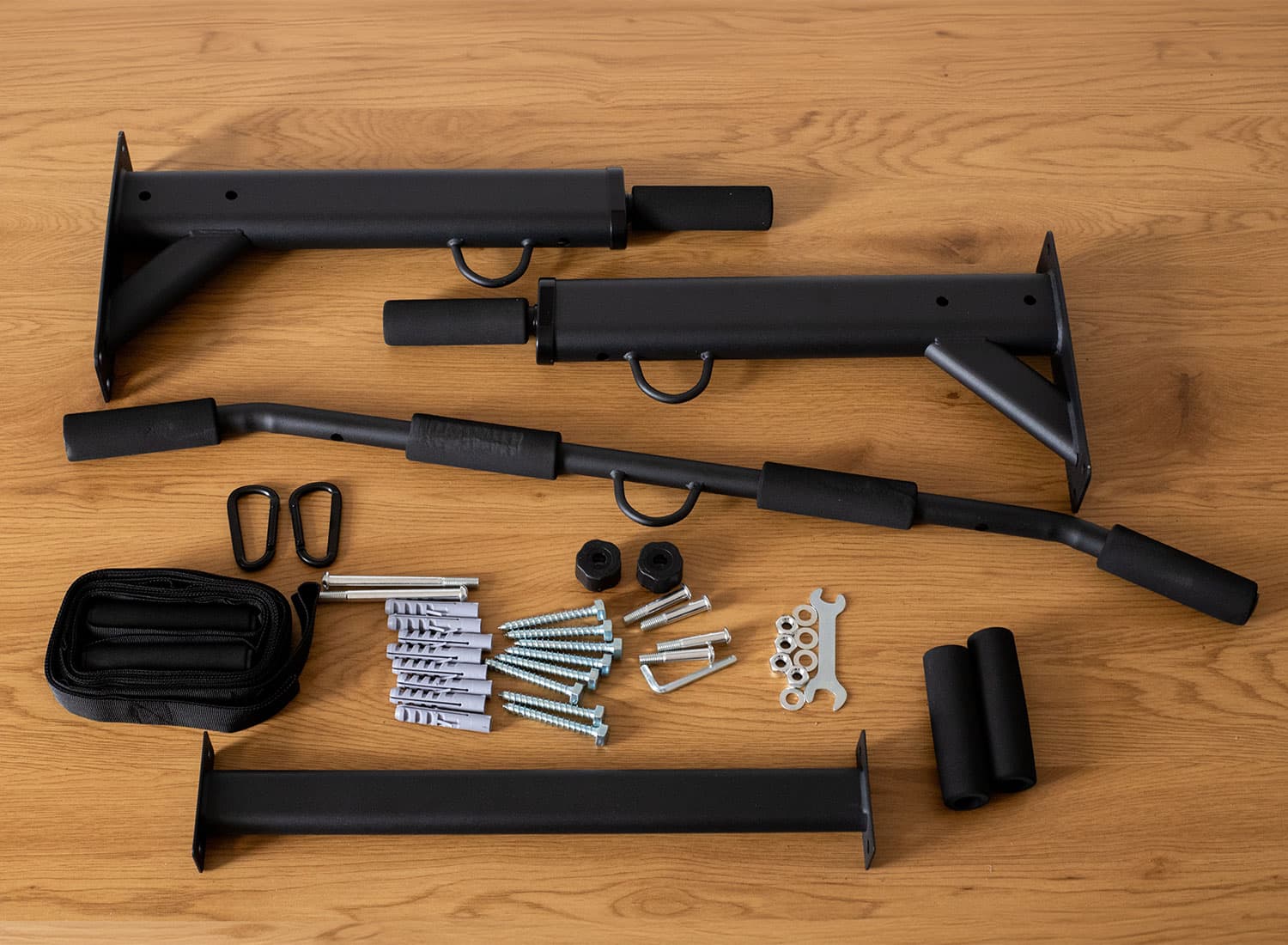
Fitness gear is heavy, and many parts look alike. These challenges of sports equipment assembly catch even handy buyers off guard. So, good fitness equipment assembly instructions begin with a parts check, not a wrench.
Here is what customers usually get wrong at this stage. They skip the parts list, mix up the bolts, and start building anyway.
You can head that off with a few small changes. Add a “lay everything out first” step with a photo of the full parts set. Label each bolt bag with a number that matches the manual. Then list the tools needed up front, such as hex keys, a torque wrench, and a level. It also helps to say when a second person is needed for heavy lifts.
One buyer told us she spent forty minutes sorting a bag of identical bolts. She was annoyed before step one. For brands, that kind of frustration shows up later as bad reviews. Once the parts are sorted, the frame comes next.
The frame decides how steady the whole machine feels. A part can look right and still sit slightly out of square. Here are five things to build into this stage:
Visuals help a lot here. An exploded 3D view shows which way each bracket faces and which bolt fits each hole. The payoff for your brand is fewer returns blamed on a “bad frame.” Once the frame stands tall, the moving parts come next. Those are a little trickier.
With the frame solid, errors shift to the parts that move. They are sneaky because the machine can feel fine until someone uses it. Here are four things to cover:
A cable on the wrong side of a pulley can fray or bind. Unfortunately, text alone rarely makes that clear. That is why interactive assembly instructions matter.
Customers can zoom in and follow the cable’s full route, which beats squinting at a tiny drawing. For your support team, that means fewer calls about noisy or sticking machines. Next, let’s cover the final checks.
A machine can look fully built and still needs a few checks. Many guides just stop at the last bolt. A strong guide ends with these three steps:
Good instructions also tell customers when the job is done. A picture of the finished build lets them compare it with their own. Now, let’s look at why visual guides work so well.
Static diagrams show a part, but they rarely show its position or movement. Digital guides let customers rotate parts, zoom in, and follow one step at a time. For example, 3D assembly instructions for fitness equipment can clarify these tasks:
This is why customers prefer 3d interactive guides. They cut guesswork, run on the phone already in hand, and let people pause anytime. For brands, that means fewer calls and returns, which helps reduce assembly errors. Digital files are also easy to update, since one edit fixes every future build.
Still, visuals do not replace manufacturer's torque values or safety warnings. They also don’t replace professional help when a build needs it. So, how does Easemble fit in?
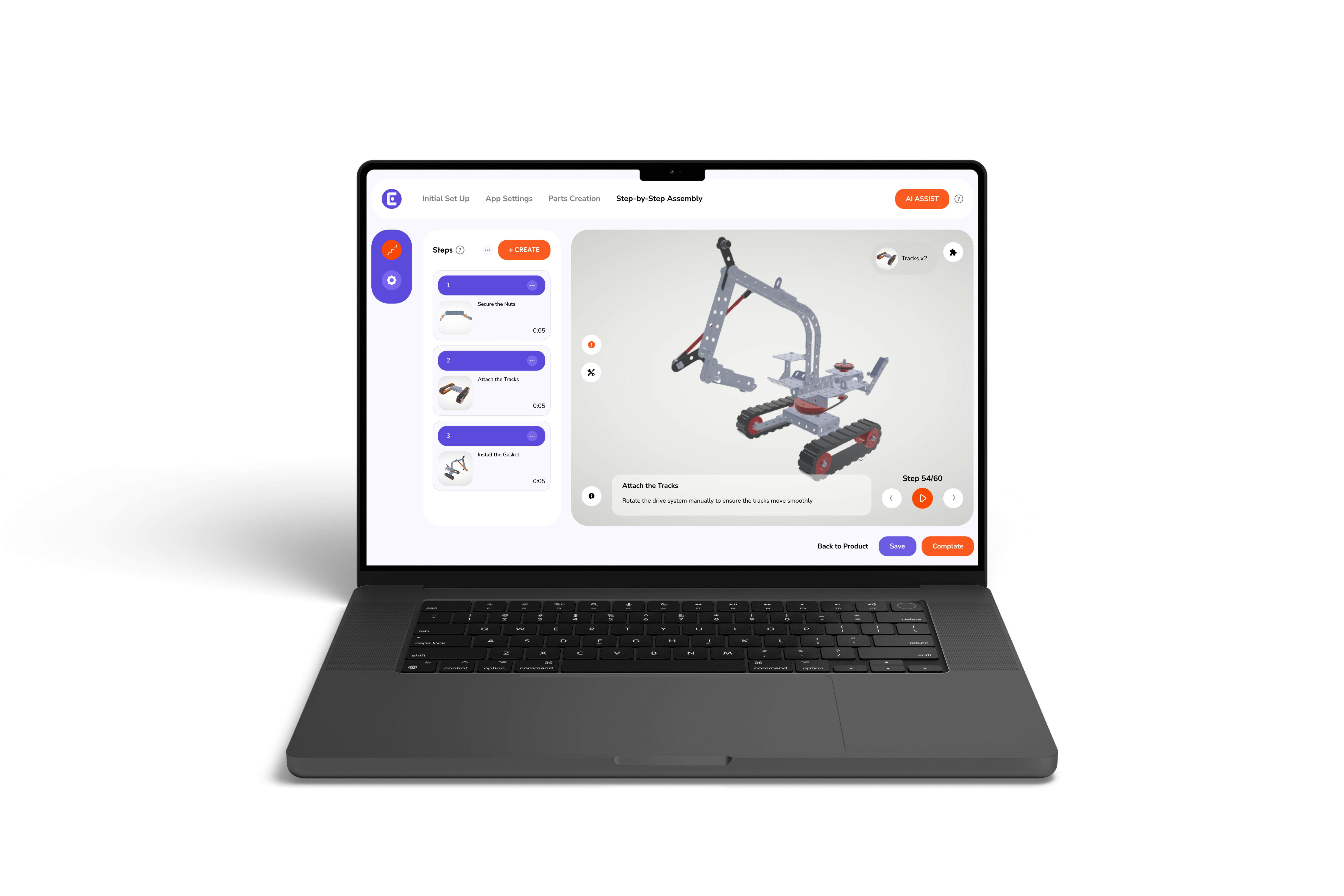
Easemble is a 3D digital assembly app that helps brands build visual, interactive steps. Our interactive creator, optional 3D modeling, and mobile-friendly playback show part placement and build order clearly. Instead of only describing each step, you can pair instructions with 3D visuals. Those visuals cover everything from the base frame to the final cable route.
As a provider of digital assembly manuals for sports equipment brands, we keep your specs and safety checks front and center. If you want 3D interactive assembly manuals or interactive assembly manuals for sports, we can help you start small. Many teams begin with one popular product and grow from there. Either way, your customers get digital assembly manuals they can follow on their phones.
Setup should be the easy part of owning a home gym. Clear labels, the right prompts, 3D views of tricky spots, and a simple final test all help your customers get it right. Overall, home gym equipment 3D assembly gives you a way to build all of that into one guide. For your brand, that means fewer errors, fewer returns, and a stronger first impression. Ready to take the next step? Book a demo and see how Easemble can make your assembly guides clearer.
How can brands reduce setup errors for home gym equipment?
Start with clear part labels and a simple build order. Then add prompts at risky steps, 3D views of tricky spots, and a final test.
Why tell customers to hand-tighten bolts first?
It leaves room to square the frame. A final torque pass then locks every joint in place.
Can 3D instructions replace the printed manual?
They can serve as the main format. However, they should still carry your specs, torque values, and safety warnings.