August 21, 2025
Install Your Smart Lock with Confidence Using Easemble’s 3D Guides
.png)

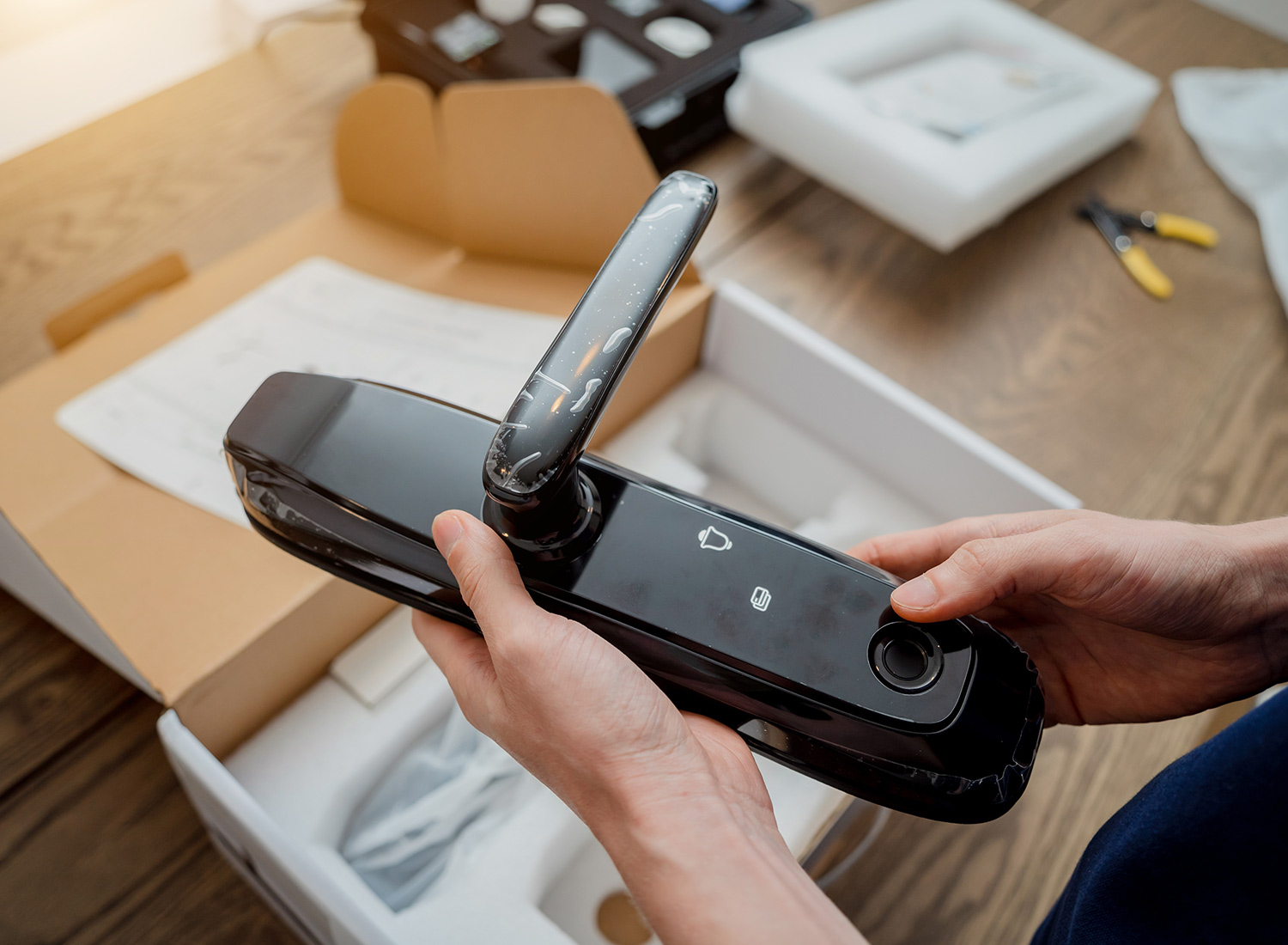
Installing a lock that thinks for you often comes with unclear instructions that leave you scratching your head. Well, here’s the thing: text manuals rarely show where each piece snaps together. As a result, you waste time guessing which screw fits which hole. Fortunately, setting up a digital door lock with the help of our installation guide uses animated 3D visuals to walk you through each step.
Moreover, you can view every action on your phone or tablet in real time. Next, the live update feature means you never follow outdated steps. Consequently, color-coded markers clarify each connection and reduce errors during smart lock installation. Now, we’ll show how our step-by-step 3D walkthroughs take the guesswork out of installation.
Easemble reimagines step-by-step guides by replacing flat text with interactive visuals. Here, you’ll see how our platform turns a complex setup into a clear, hands-on tutorial.
Easemble’s 3D animations feature shows each lock component from every angle. First, you rotate and zoom the model to match your hardware. Moreover, animated highlights reveal where each screw and bracket fits. Consequently, you avoid the guesswork common in standard text guides. Finally, this immersive view speeds up your entire smart lock installation process.
Building your own guide takes minutes with our drag-and-drop editor. Next, you place markers and add optional voice notes without writing any code. In addition, the editor runs in any modern browser or mobile app. Therefore, you can refine steps on your phone while testing the lock. Clearly, this approach keeps your instructions live and accessible during every smart lock installation.
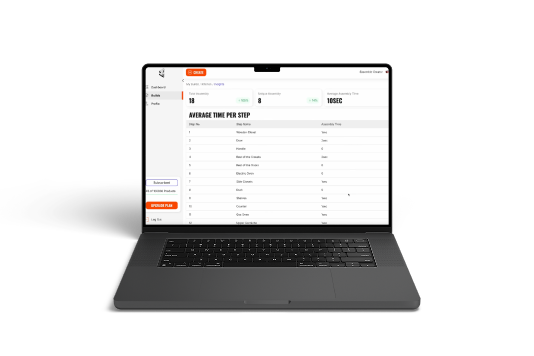
After publishing, you push corrections in real time to all devices. Furthermore, usage data tracks how long users spend on each step. As a result, you identify friction points and improve clarity. Consequently, future installers complete smart lock installation with fewer questions.
Now, we’ll explore why this matters for every homeowner.
A smooth smart lock installation changes more than just your entry routine. It builds confidence, convenience, and long-term value you’ll appreciate every day.
A proper installation blocks weak spots where intruders might try forced entry. Moreover, encrypted signals secure your home far better than a basic deadbolt. As a result, you can check activity logs and see who enters. In addition, you replace hidden spare keys with unique access codes for each guest. Consequently, smart lock installation keeps your home safer and monitoring simpler.
You no longer juggle keys when your hands are full of groceries. Furthermore, mobile apps let you lock or unlock from anywhere in your house. Next, geofencing can automatically secure your door when you step outside. In addition, temporary codes give visitors timed entry without sharing physical keys. Therefore, smart lock installation makes daily routines smoother.
A flawless install adds appeal to potential buyers when you sell your home. Moreover, firmware updates deliver new features without hardware swaps. As a result, you skip paying for costly replacements down the road. In addition, our 3D smart lock assembly manual ensures every update shows clear steps on your device. Thus, your investment in smart lock installation pays off for years to come.
Now, we’ll walk through a real DIY setup using our guides.
{{electronics}}
Ready to dive in? Follow these clear steps using our 3D smart lock installation instructions for a flawless smart lock installation every time.
Up next, see a user who nailed this in under ten minutes.
Imagine Jordan, a busy late-20s homeowner, wasted twenty minutes over mounting the deadbolt latch until switching to our smart door lock 3D tutorial. Our interactive instruction manuals smoothed their smart lock installation with clear steps and animated visuals. Consequently, he completed the setup in under ten minutes without needing technical help. In addition, real-time guidance cut out frustrating guesswork and boosted their confidence. Of course, he praised the mobile preview that let them check each step without printing manuals. Moreover, he shared the tutorial with their partner, making teamwork simple during the smart lock installation. Later, he recommended Easemble’s guide to five friends who also needed to upgrade locks. This brief pilot showed how visual help makes a real difference in home upgrades.
Now, let’s explore how to troubleshoot common hiccups with our built-in fixes.
Even experienced DIYers can hit snags during smart lock installation. Fortunately, our 3D DIY smart lock installation guide provides step-by-step fixes for common hiccups. For example, if your deadbolt won’t turn, the animated guide highlights alignment marks to correct insertion. Next, if Wi-Fi pairing fails, the tutorial shows network setup steps in real time. In addition, when screw holes misalign, you can rotate the model to match angles precisely.
Finally, grab our top pro tips before you go.
{{electronics}}
Ready to ditch confusing manuals and install with confidence? Easemble makes smart lock installation straightforward, fast, and error-free with our digital assembly solutions provider platform. Moreover, our users follow 3D Assembly Manuals for Electronics Equipment that update instantly across all devices. Next, the intuitive interface reduces common mistakes by highlighting each component in an animated sequence. In addition, real-time analytics track completion time and pinpoint steps needing clarification in future revisions. Furthermore, customizable labels and voice prompts tailor guidance to unique lock models and home layouts. Also, offline access means installers complete the setup even when internet connectivity is spotty at a door. Finally, detailed logs record every action during the installation process, giving you confidence in your work. Ready to lock in a better setup? Here’s how to start your interactive smart lock installation guide journey.
No, our drag-and-drop interface walks you through each step visually. Moreover, built-in voice prompts clarify any tricky actions.
Yes, you can replay or rewind any step as often as needed. In addition, bookmarks let you jump to key actions quickly.
First, you need a standard deadbolt hole and a compatible door thickness. Next, ensure a reliable Wi-Fi signal or Bluetooth range for your device.
.png)