February 11, 2026
3D Interactive Manuals for Furniture Manufacturers

.png)

If you run a furniture manufacturing operation, you know how small mistakes on the assembly floor quickly become costly delays or product returns. Paper manuals and static PDFs often slow down workers instead of guiding them with clear furniture assembly instructions, leaving teams frustrated and training programs stretched. That’s where 3D interactive manuals come in with digital, step-by-step guides that show exactly how each part fits, and rotate models for full visibility.
In this blog, we’ll explore what 3D furniture assembly guides are, why traditional manuals often fail on the floor, the features and measurable benefits of interactive formats, and a practical stepwise approach to implement them.
Let’s begin by breaking down exactly what 3D interactive manuals involve.
In modern furniture manufacturing, clarity at the point of assembly can make or break productivity. 3D interactive manuals are digital guides that show workers exactly how to assemble a product step by step. Unlike paper manuals or static PDFs, interactive furniture assembly instructions use 3D models, animations, and on-screen prompts, so every part, screw, and panel is clear.
Workers can rotate and zoom parts, follow guided sequences, and receive visual cues in real time. This reduces guesswork, lowers error rates, and keeps teams aligned across shifts and locations.
These manuals are accessible on standard tablets, smartphones, or AR devices. Updates are instant, so teams always follow the latest instructions without printing new manuals or relying on emailed PDFs.
With this clarity, it becomes easy to see why traditional paper manuals often fall short on the assembly floor.
On the furniture assembly floor, small gaps in instructions quickly turn into costly mistakes. Workers often spend minutes flipping through thick binders, trying to identify the correct dowel, panel, or bracket. Static PDFs or outdated printouts make it easy to grab the wrong part or attach a shelf upside down.
Common failure modes
These are some of the most frustrating things about furniture assembly, causing longer assembly times, misaligned furniture, and more support calls to floor supervisors. A single misassembled cabinet can ripple into customer complaints, returns, and wasted labor.
Fortunately, interactive manuals solve these real-world challenges with 3D clarity and step-by-step guidance.
Furniture assembly teams often struggle when instructions are unclear or outdated. 3D interactive manuals address these issues with features designed for real-world workflow improvements.
Carpenters can use 3D models to view panels, brackets, and screws from every angle. Exploded views make it obvious how pieces fit together, eliminating guesswork that often slows assembly or causes misaligned shelves.
Each task advances only when a step is completed and verified, using prompts, photos, or barcode scans. This ensures proper assembly and reduces mistakes, directly improving efficiency with interactive furniture assembly manuals.
Highlights, QR codes, and visual markers point to the correct part and its orientation, so workers no longer spend time hunting for dowels or confusing brackets.
Changes to instructions are reflected immediately across all devices, preventing misaligned parts or outdated steps from slowing production.
These features set the stage for measurable improvements in time, errors, and training efficiency.
Furniture assembly time varies widely by item, design complexity, and the quality of the instructions. With traditional paper manuals, a standard bed frame alone can take 1.5 to 3 hours to assemble for an average DIY team. When assembly instructions are unclear, installers often pause, reread steps, and search for parts.
With interactive 3D furniture assembly instructions, guided visuals cut those pauses and confusion. Workers complete the same tasks faster and with fewer mistakes, reducing rework and support calls.
These estimates show that visual, step‑by‑step guidance can significantly lower assembly time and cognitive load, making the benefits of digital furniture manuals tangible.
So, how do you actually get started with 3D interactive manuals for furniture? Let’s break it down.
Moving from paper manuals to 3D interactive guides doesn’t have to be overwhelming. A stepwise, pilot-first approach lets you test value, gather data, and scale confidently.
Start with a product that’s frequently assembled or causes the most support calls, like a modular bed frame or a multi-shelf wardrobe. Keeping the scope small makes it easier to see measurable improvements using 3D furniture assembly instructions.
Map the existing steps, add a 3D model, and include checkpoints or visual cues. Following best practices on how to create effective 3D assembly manuals ensures clarity and reduces errors.
Run a short session with the team who will use the guide. Collect feedback, refine unclear steps, and confirm that everyone can follow the process without confusion.
Track assembly time, errors, and support calls over a few weeks. Compare these numbers to previous paper-based workflows to see real gains.
Once the pilot proves effective, expand to other products or assembly lines. Gradual rollout prevents disruption while building confidence across teams.
With pilot metrics in hand, you’re ready to see why Easemble is the ideal partner for interactive manuals.
Switching to 3D interactive manuals is easier when you have a partner who understands both the technology and the challenges on the assembly floor. Easemble acts as a digital assembly solutions provider, helping furniture teams replace confusing paper manuals with clear, actionable guides that workers actually follow.
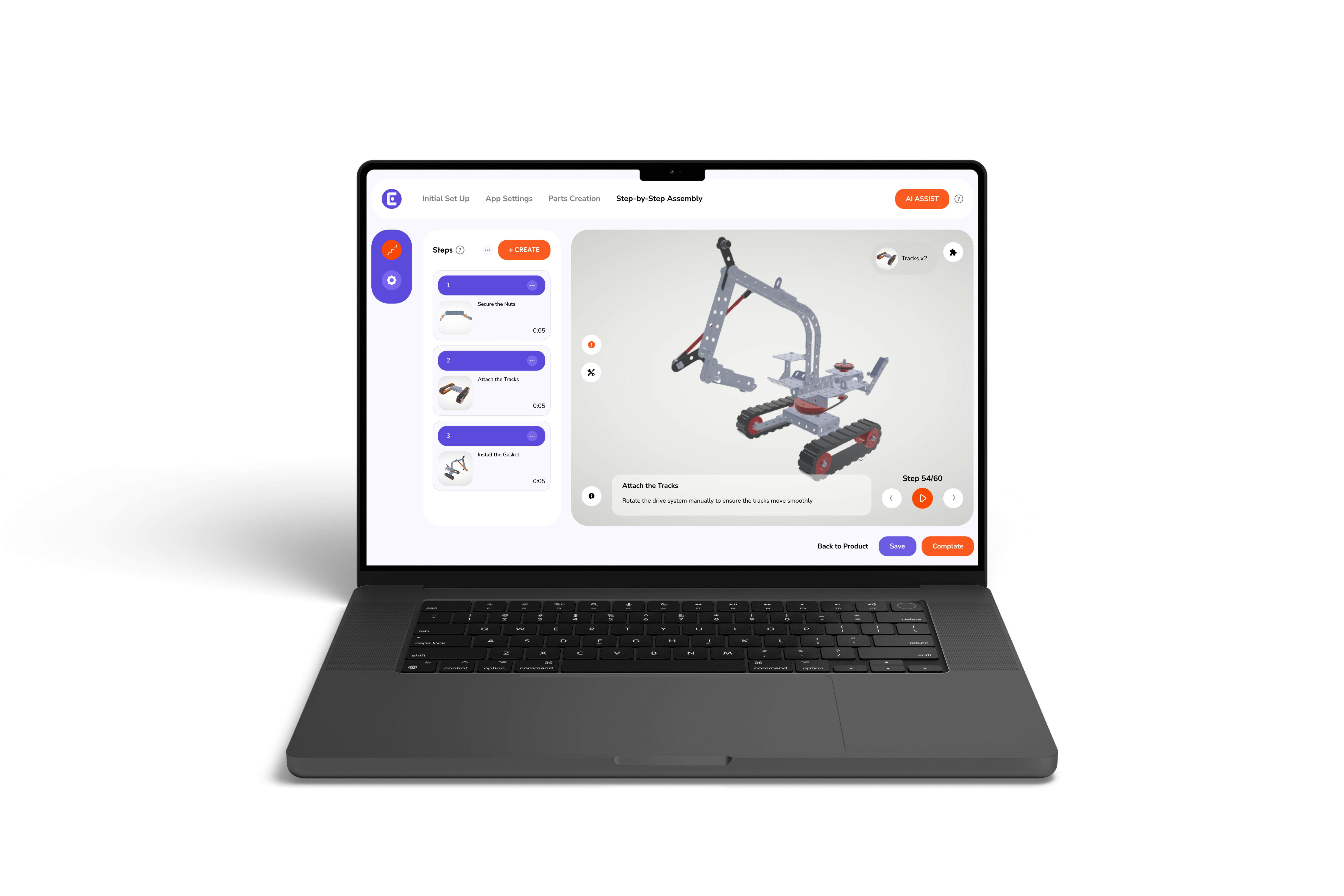
Easemble offers a web-based creator for quick manual building, optional 3D modeling for complex pieces, and mobile playback, so workers can access instructions on phones and tablets. Moreover, our pay-per-product pricing keeps adoption low-risk and scalable across your catalog.
Teams report faster onboarding for new hires, fewer assembly mistakes, and a lower demand for supervisor support. Easemble functions as a reliable assembly manual software, connecting visual guidance with step verification to reduce errors and returns.
Switching to 3D interactive guides means faster assembly, fewer mistakes, smoother training, and instant updates, resulting in real improvements your team will notice on every floor. With that in mind, you should know by now that Easemble’s digital furniture manuals make this transition simple and low-risk.
Ready to see the difference? Book a demo or talk to one of our team members today.